Description
VPN Protection/DDos IP Detection for CtrlPanel
Quick Installation Guide
1. Unzip the downloaded file: Extract the contents of the.zip file to your desired directory.
2. Edit the Environment File:
Code:
bash
nano .env.env file using the template provided in the download.
3. Make the Script Executable:
Code:
bash
chmod +x blocker.sh.xbash
./blocker.sh.x- Email: sanjaykanth579@gmail.com
- Discord Support: Join here
How the VPN Blocker Script Works
- User Connection Initiated: When a user attempts to access your system (e.g., a website or service), the script automatically captures their IP address.
- API Query: The script queries a trusted API service (such as proxychecker.io, or similar) to evaluate the IP's reputation and origin.
- API Response:
The API analyzes the IP and returns one of the following statuses:
- Good IP: Not associated with VPNs, proxies, or malicious activity.
- Bad IP: Flagged as a VPN, proxy, or a known malicious entity.
- Action Taken:
- Good IP: The user is granted access to the system.
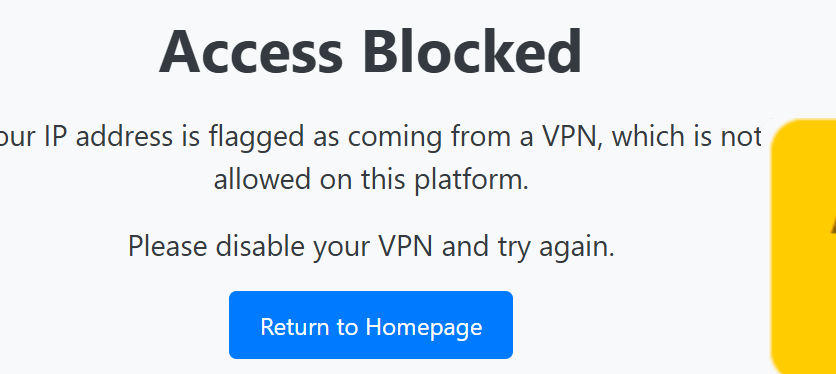
- Bad IP: The user is blocked, and an error or redirection message is displayed.
Advantages of the VPN Blocker Script
1. High Accuracy from API Data
- The script uses a specialized API to ensure accurate identification of VPNs and proxies.
- The API provider's regularly updated database improves reliability and detection accuracy.
2. Automated Decision-Making
- Eliminates manual checks for blocking IPs, improving efficiency.
- Automatically determines whether an IP should be allowed or blocked.
3. Enhanced Security
- Prevents malicious actors using VPNs or proxies from accessing your system.
- Reduces risks associated with spam, fraud, and automated abuse.
4. Customizable Blocking Rules
- Allows for easy customization, such as whitelisting specific IPs or ranges.
- Lets you define rules to be either strict or lenient, depending on your security needs.
5. Improved User Tracking
- Ensures that only legitimate users with real IPs can access your system.
- Makes system logs and analytics more reliable by eliminating spoofed IPs.